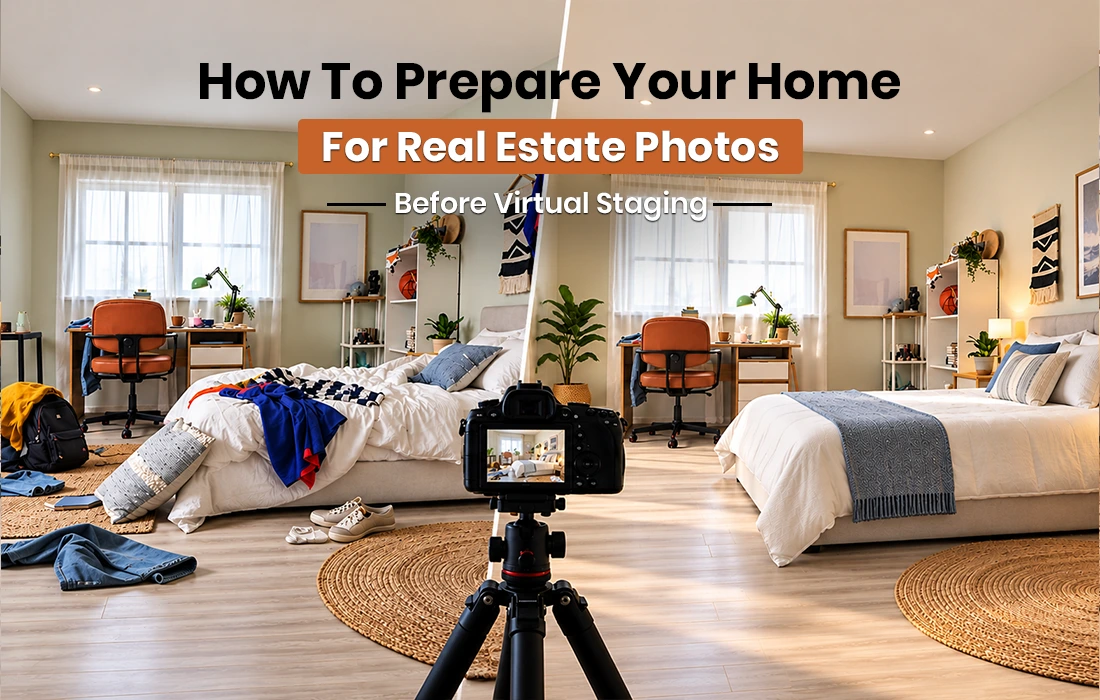
When you list your property online, it can be less appealing with cluttered rooms and odd camera angles. You need to make your home look more appealing in pictures when you plan virtual staging. Because the results are dependent on the quality of the images produced.
The good news is that there is no need to invest much in your home’s photos to make them look more appealing. Simple solutions like clearing up space and lighting the room properly can help.
Want to see how virtual staging can transform your property photos? Explore our guide to how virtual staging works for homes, condos, and apartments to see how it can showcase your property more effectively.
Why Preparing Your Home for Real Estate Photos Matters
Buyers can visualize a space with the help of quality photographs. They can also offer a more solid foundation to add realistic furniture and décor to virtual staging professionals.
See how long it takes virtual staging to plan a listing schedule for homes and real estate listings.
Step 1: Declutter and Clean the Home
Remove any pictures and laundry from the room that might be distracting. Wipe down kitchen countertops and take garbage cans out of frame.
Properly clean windows and mirrors or other visible surfaces. Ensure that the area is clean and that some of its salient features can be seen.
Step 2: Set Up Lighting for Real Estate Photos
Open curtains and blinds to allow light to come in. If photos seem dark in the interior then turn on the lights and replace any burnt-out lights.
Do not have strong lights in the room, such as strong sunlight. This can result in strong lighting or shadowy areas in the room. Virtual Staging Professionals will light the furniture the same way during this comparison when it comes to the image of the decoration that you’ve supplied.
Step 3: Take Photos That Show the Room Clearly
Take a photo with a camera or a cell phone using a high-resolution lens. Draw in corners of the room, floor, doorways, as far as possible. Do not tilt the camera. But the walls and door frames should be straight.
Avoid extreme wide shots which enlarge rooms. If needed, take more pictures of larger rooms or properties that have differentiating features. Ensure that all photographs are sharp and that key information can be seen. These steps provide an easy understanding and following process of how to prepare your home for real estate photos.
Step 4: Decide Between Real Furniture and Virtual Staging
If the property is occupied, keep essential furniture to illustrate how each room can be used. But remove excess or unnecessary furniture. Vacant properties will have a clean base to furnish digitally in empty rooms.
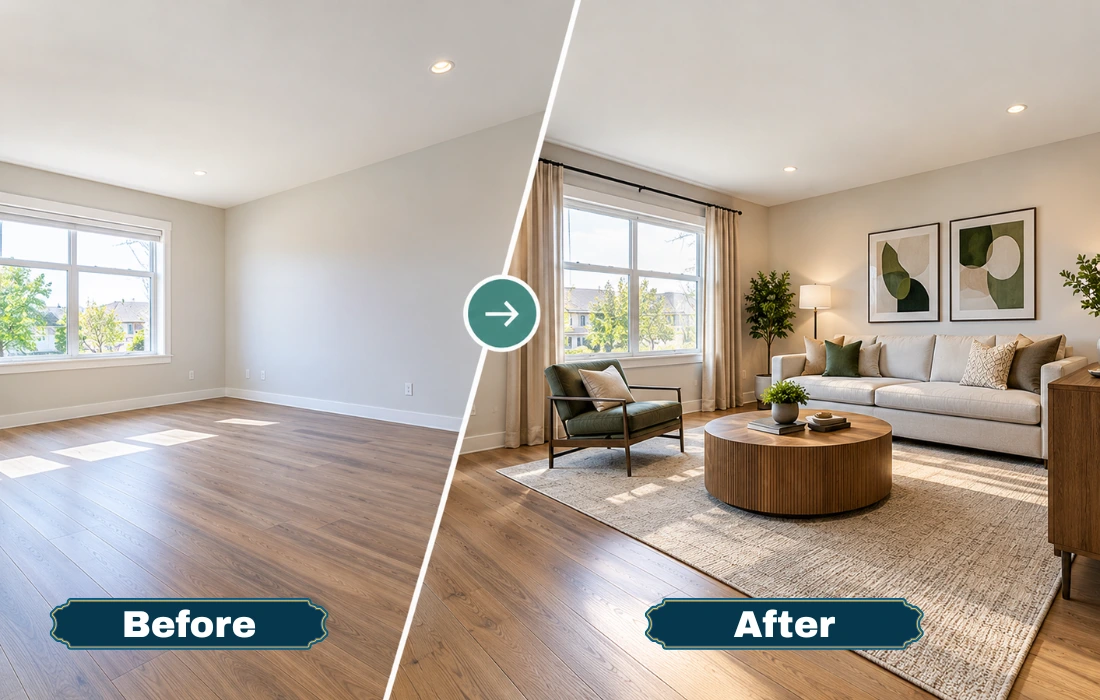
Virtual staging is a process where various pieces of furniture, including sofas, dining tables, and décor items, can be added to your home without physically placing them in the house. If you want to go the virtual route. Compare the virtual staging cost with the traditional staging to determine which one is a better fit for your budget.
At Virtual Staging Studio, we add furniture and décor to your property photos, so empty rooms look ready for buyers. This can be a great way for real estate agents to market empty rooms without the cost and logistics of having to furnish all the rooms themselves.
Step 5: Share Clear Details With Your Virtual Staging Provider
Use photos and describe the interior design you are seeking and any furniture preferences. Discuss main elements that include windows, fitted units, walkways, and fireplaces.
These details can be utilized by professional virtual staging services to produce pictures. That matches the structure’s present condition. When selecting a provider, consider virtual staging, design options, and revisions. Clear directions can also help to reduce changes.
Common Mistakes to Avoid When Preparing Your Home for Photos
Avoid blurry photos or camera angles with distracting reflections in the window. Do not digitally improve structural features or obscure permanent damage.
A common mistake is sending photos that fail to represent the space. Check your space before uploading an image to your staging channel. So you can be sure it will look the way you want.
Quick Checklist Before the Photo Shoot
Before sending property photos for virtual staging. You should ensure that you have followed these essential preparation steps
- Clear and clean out each room.
- Open curtains and check the lighting.
- Remove distracting personal items and visible rubbish.
- Do not block windows or architectural details.
- Capture level photos at good angles.
- Look at each image before sending it to the staging provider.
A final check helps ensure your photos are well-prepared and ready for virtual staging.
Discover how our virtual staging services can turn them into listing-ready images.
Turn Your Property Photos Into Listing-Ready Images
When your property photos are clear and ready for editing. The next thing that needs to be done is to make each room attractive for future buyers. You can use virtual staging to give a realistic look to the room’s furniture and decor. But without needing to furnish the space. This will aid people who might want to purchase the room in understanding what it will look like. It’s also good for enhancing the photographs of your listing.
Virtual Staging Studio uses virtual models to create professional, staged photographs of your original property to promote how you can transform it. Explore possibilities for virtual staging that will create dramatic images without compromising the interior and exterior layout.
Conclusion
Home Staging is important for creating real estate images that will attract real estate buyers. Provides information to virtual staging professionals to work effectively. Each room will be cleaned, lighted up and each room will be captured in the original photos to maximize your original photos and make your property look better online.
Explore our guide to virtual staging for condos to make your property listings more appealing.
Frequently Asked Questions
1. How do I prepare my home for real estate photos?
You need to remove all distractions and improve lighting. Take photos even if they portray the layout clearly.
2. Should I remove furniture before real estate photos?
Remove surplus or oversized furnishings. But retain useful furniture when necessary to illustrate the function of the room. Virtually stage empty apartments also.
3. What should I not do before real estate photos?
Don’t overcrowd or place the lighting or image off-center. In addition, do not take pictures too far away or too close.
4. Can I take my own real estate photos with a phone?
Yes, use natural light and set the camera level. Also, prefer the high-resolution setting and clean the lens.
5. How does preparing the home help with virtual staging?
Clear and bright photographs provide staging professionals with a clear layout and architectural view of the room; this facilitates staging the room for furniture arrangement.
Ready to Transform Your Property Photos?
Get professional virtual staging that makes your property photos more attractive to potential buyers.